
A payment receipt is the proof that money has already been received for an invoice. In Kiralytics, the receipt is created from the payment itself, so you do not need to type the same details twice.
Client receives the invoice
The invoice goes out first, with the amount due and payment method.
Money comes in
This can happen through a payment link or a payment you record manually.
Share proof of payment
Open the receipt, download the PDF, copy the link, or email it to the client.
Receipt flow
- A payment is recorded on an invoice, either manually or through an online payment link.
- Kiralytics creates a receipt page for that payment automatically.
- You can open the receipt, download the PDF, copy the public link, or email it to the client.
This keeps the paperwork simple: invoice first, payment second, receipt after money is in.
Where to find the receipt
- Open the invoice inside Invoices.
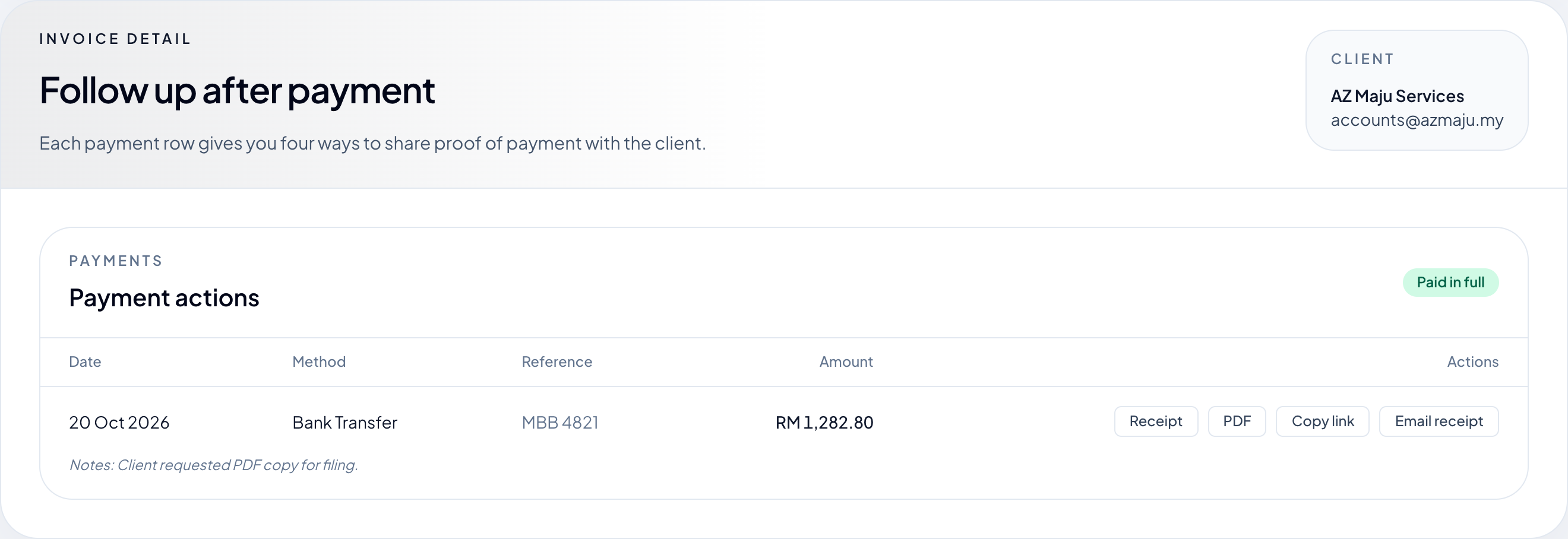
- Scroll to the Payments table.
- On the payment row, use one of the receipt actions:
- Receipt — open the public receipt page
- PDF — open the printable PDF version
- Copy link — copy the public receipt URL
- Email receipt — send the receipt to the client by email
Each payment has its own receipt. If an invoice was paid in two parts, you will see two receipts.
Use this when you want to preview the public receipt page in the browser.
Use this when the client wants a file they can save, print, or forward internally.
Use this for quick follow-up in WhatsApp, SMS, or any other chat conversation.
Use this when you want Kiralytics to send the receipt to the client inbox on your behalf.
What the client sees
The receipt shows the key payment details clearly:
- receipt number
- invoice number
- amount received
- payment date
- payment method
- payment reference, if you added one
It also uses your business branding, so the receipt matches the invoice the client already saw.
Currency on the receipt
The receipt is always shown in the invoice's currency — the same currency the client paid in. It is never converted, because a receipt is a record of a specific transaction and should match the invoice it settles.
Conversion only happens in your own reporting. If the invoice was in SGD and your base currency is MYR, your dashboard and profit & loss count that payment in MYR, but the receipt the client sees still says SGD. See Currency & exchange rates.
Branding on both documents
Invoices and receipts both carry a small Kiralytics credit line at the bottom of the page. It's deliberately understated — a quiet line that tells the client which tool produced the document without competing with your own branding above it.
Your own logo and business identity appear at the top of both documents, so a client who receives a receipt recognises it as coming from the same business as the invoice.
Best practice for small businesses
- Send the invoice first.
- Wait until payment is confirmed.
- Send the receipt on the same day, while the payment is still fresh in the client's mind.
For many small businesses, that simple habit reduces back-and-forth like "Have you received my transfer?" or "Can you send me proof of payment for our records?"
Common questions
Do I need to create the receipt manually?
No. Once the payment exists in Kiralytics, the receipt is already there.
Can I share the receipt without asking the client to log in?
Yes. The receipt link is public, just like the public invoice link.
Can I download a PDF copy?
Yes. Use the PDF button on the payment row.
When should I use Email receipt?
Use it after payment is confirmed and you want Kiralytics to send the receipt straight to the client's inbox.